Skip to content →
OppulenceOppulence
ProductFeaturesUse casesPricingResources
Sign inStart for free
See how it works
Sign inStart for free
ProductsFeaturesUse casesHow it worksPricingDownloadResourcesSecurity

Product

The Oppulence assistantOppulence WebOppulence DesktopOppulence VoiceDownload

Features

Follow-ups and commitmentsRelationship contextWork that needs youReview and approveMeeting captureLive notes

Use cases

Founder-operatorAccount managementMeetingsResearch and verification
Sign inStart for free
Loading
Oppulence

Product

ProductsThe Oppulence assistantWebDesktopVoicePricingDownload

Features

Follow-ups and commitmentsRelationship contextWork that needs youReview and approveMeeting captureLive notesLocal vaultAgents

Use cases

Founder-operatorAccount managementMeetingsResearch

Resources

Resource hubGuidesChangelogIntegrationsSecurityCompareAnswer hubBlogCustomers

Compare

CRMMeeting notesInboxAI assistants

Company

ContactPrivacyTermsResponsible disclosureDiscord
Oppulence

© 2026 Playbook Media · Oppulence

All productsWebDesktopVoice

Pick up the conversation. Know what comes next.

Oppulence Web. The browser workspace for the people, promises, and conversations behind your work. Review the history, inspect the evidence, and decide what the assistant should do next.
Start on the webExplore Web
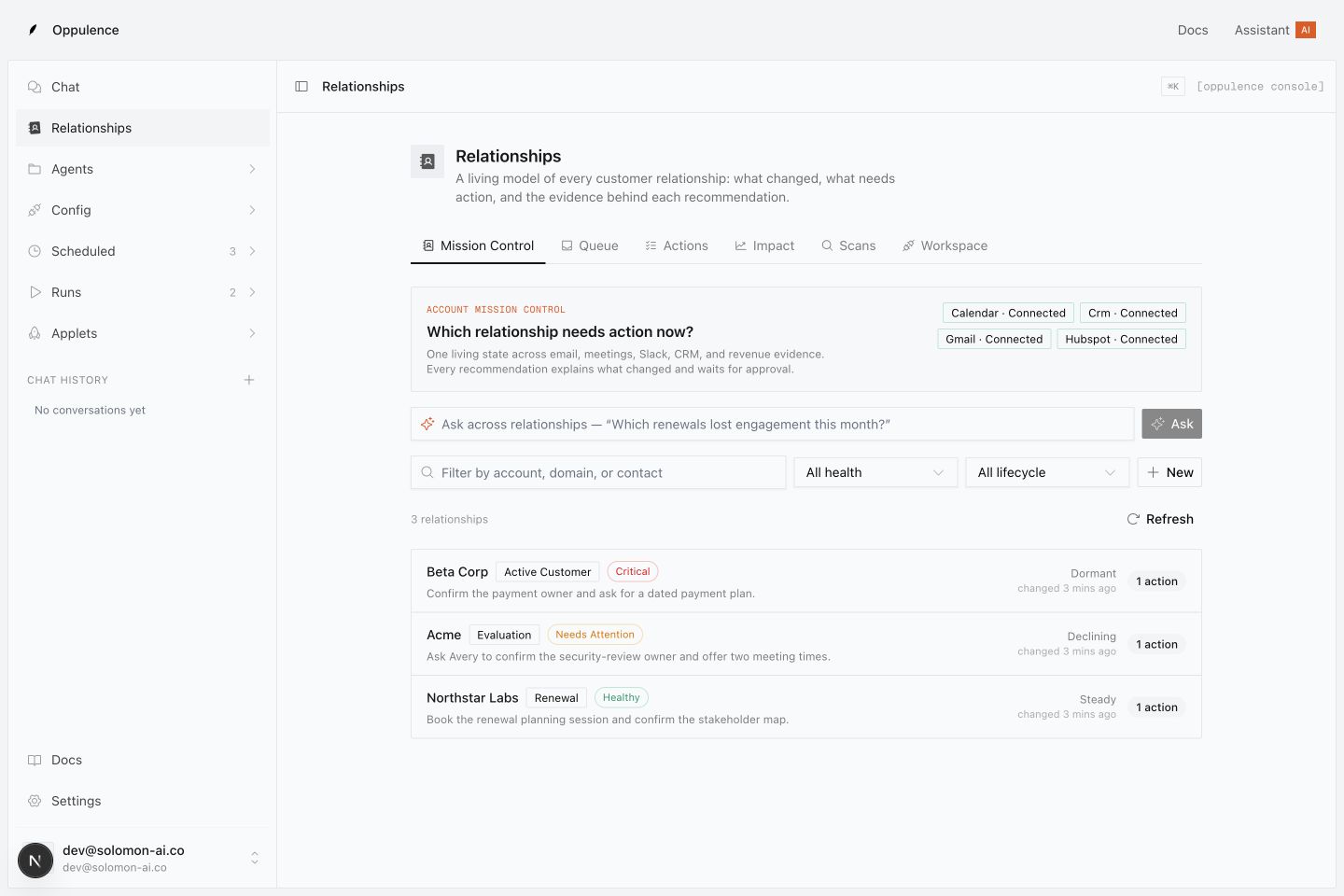
Oppulence Web relationship workspace showing accounts, open commitments, and next actions with example data
Oppulence Web · Product preview with example data
Where it runs
In your browser
Best for
Relationships, source review, and approvals
Installation
None required

What you can use today

Start with the browser workspace: connected sources, relationship views, assistant work, and action approvals.

In development. A new email-first workspace with Today, a full Inbox, People, Library, and Activity, plus the complete Voice-to-relationship handoff.

The thread is only part of the story.

A customer asks about a deadline. The answer may be in an earlier email, a calendar event, or a promise someone made last week. Open the relationship to see the relevant history and the work still waiting on a decision.

  • Review people and companies in one workspace
  • See open commitments and proposed next steps
  • Correct relationship details when the context is wrong
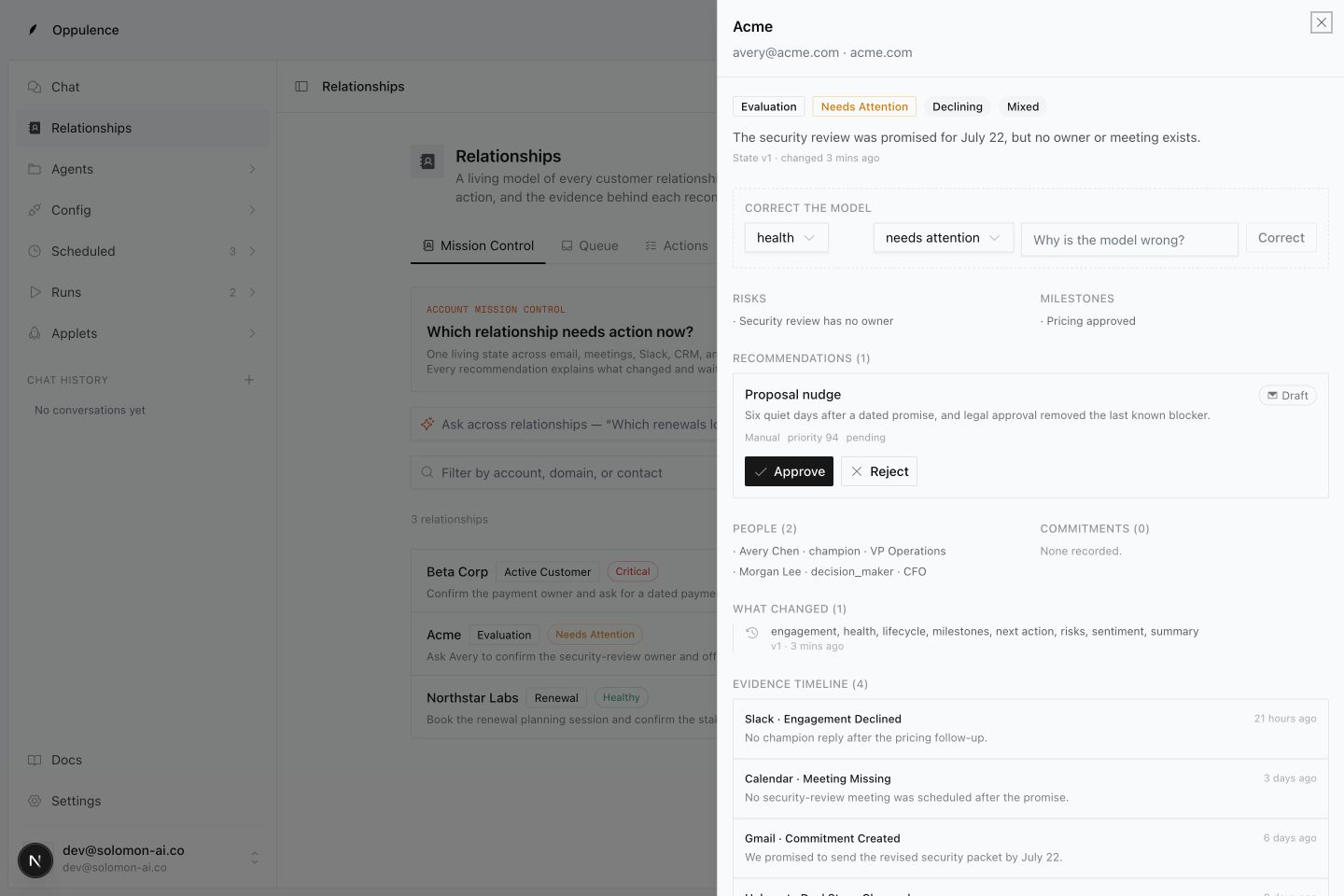
Relationship detail showing an open security review, people, and an evidence timeline

Check the reason before you approve the action.

A useful suggestion should explain itself. Inspect the source behind a recommendation, review the proposed action, and decide whether it should go ahead. A draft is a decision for you to make.

  • Follow recommendations back to their evidence
  • Review proposed email, Slack, calendar, and CRM actions
  • Check the outcome after an action runs
Proposed follow-up with Approve and Reject controls above its source evidence

Your next reply, with the history beside it.

In development

We are bringing email to the center of Web. Today will surface work that needs a decision. Inbox will put relevant meetings and earlier correspondence beside the reply. People, Library, and Activity will keep the history, sources, and results within reach.

  • Today: replies to review and people you are waiting on
  • Inbox: prepared responses with supporting context
  • People, Library, and Activity: history you can inspect
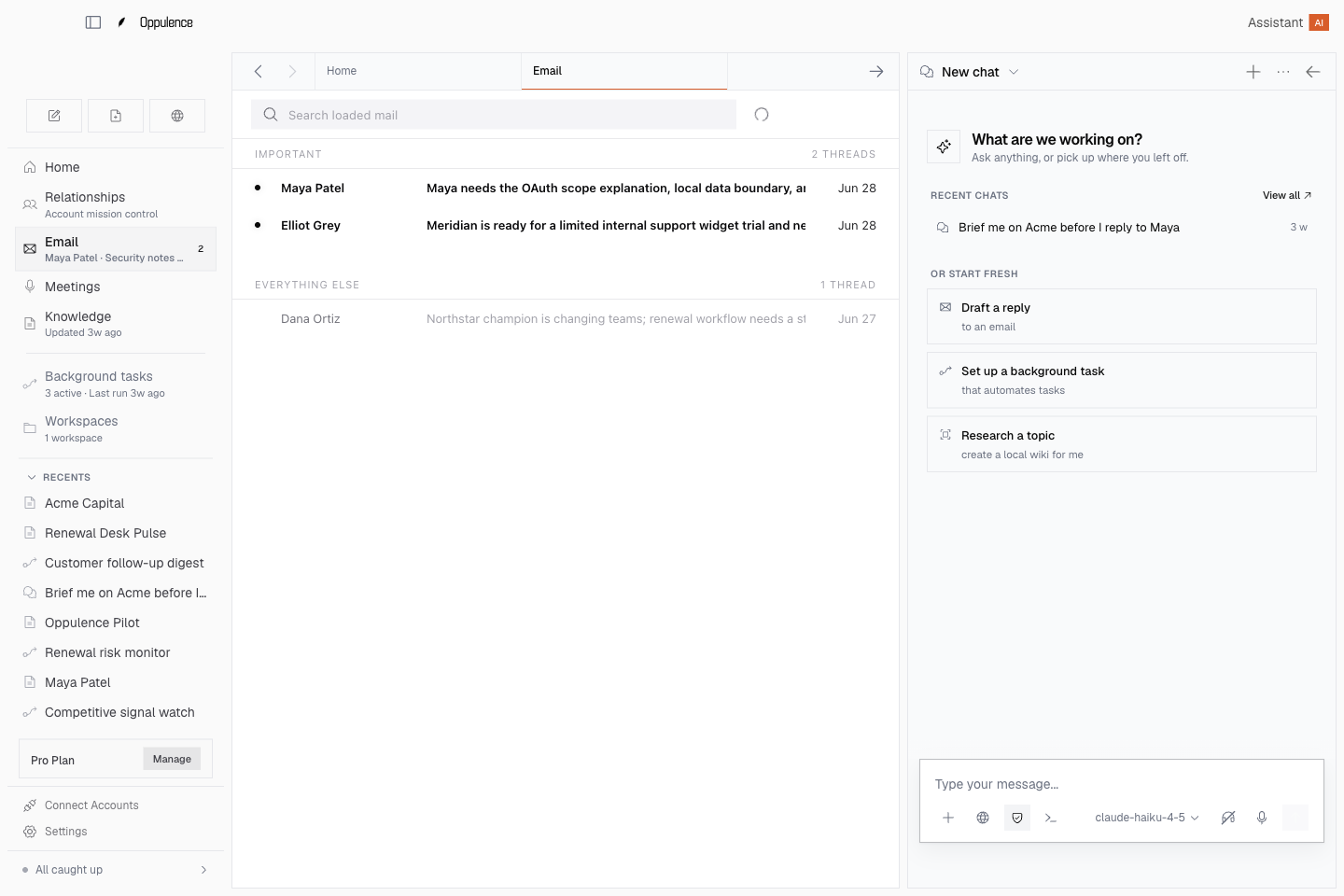
Existing Desktop email view illustrating the direction for the planned Web inbox

Get started with Oppulence Web.

  1. 01

    Create your workspace

    Sign in from your browser. You can start without installing Desktop or Voice.

  2. 02

    Connect the sources you need

    Choose the supported services that hold your work and review the access you grant.

  3. 03

    Start with one relationship

    Inspect its history, check an open commitment, and review a proposed next step.

Questions about Oppulence Web

No. Web runs in your browser. Desktop is an optional workspace for local files and native tools; Voice is an optional companion for dictation and capture.

The browser workspace has relationship views, connected sources, assistant work, and approvals. The redesigned Today, Inbox, People, Library, and Activity experience is in development. The Desktop email view shown here illustrates that direction.

Yes. You can keep working in your existing email app while using Oppulence to inspect relationship context and review assistant work. The new Oppulence inbox is an additional experience being developed.

Supported external writes are proposed for human approval. Review the content and destination before approving, then check the action result. An attempted action is not proof that it completed.

Signing in to Web does not make a local Desktop or Voice library available in the browser. The shared experience is being built around explicit transfer and sharing choices.

Start with the conversation that needs you.

Open your workspace, bring the relevant history into view, and choose the next step.

Start on the web

Add another way to work, when you need it.

Oppulence Desktop

A native workspace for email, local files, a Markdown vault, and deeper work with the assistant.

Explore Desktop

Oppulence Voice

An optional desktop companion for dictation, meeting recording, selected-text editing, and thought capture.

Explore Voice